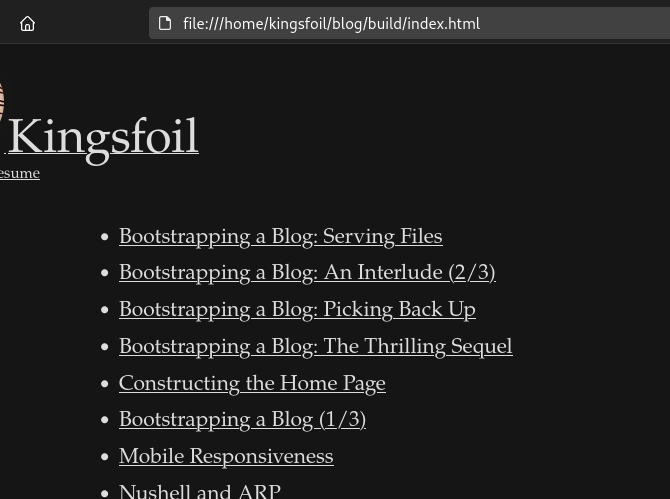
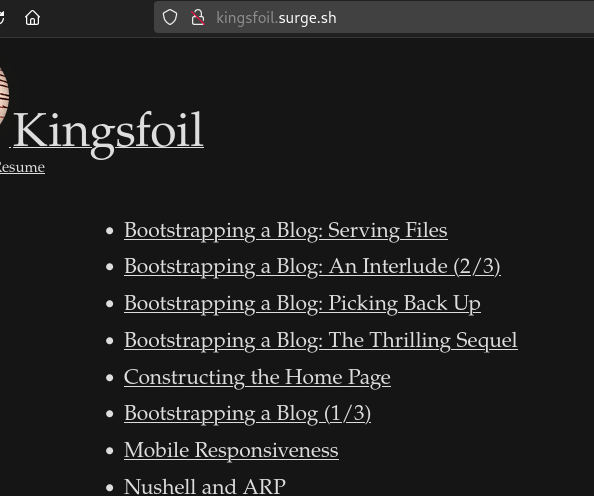
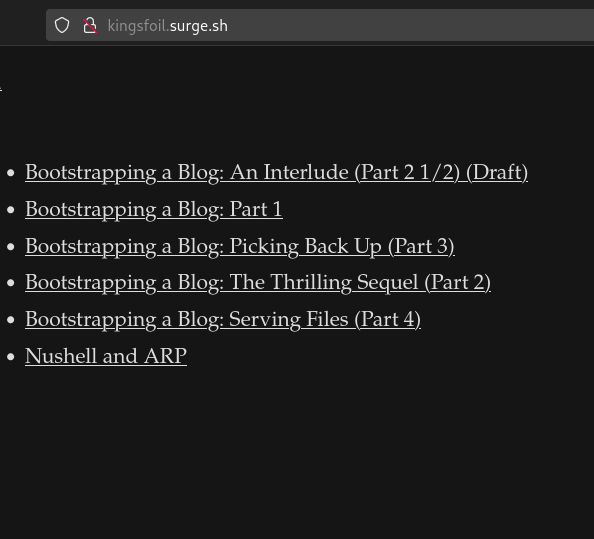
This collection of posts was written over the course of several years and eventually consolidated into this single (quite lengthy) page. This particular post is likely of no interest to anyone except myself. The posts here are written in a very direct learning log style of exactly what I was thinking at the time, and so looking back much of what I write seems simple and obvious.
So it goes.
I distinctly remember spending one night late in November of 2022 sitting in a coffee shop– sipping some of the best hot apple cider I’d ever had– and feeling generally annoyed at the ecosystem of markdown-based static site generation existing at the time. I opened a file on my machine and began to write. The result is the website you’re looking at today.
Bootstrapping a Blog (Part 1)
November 18th 2022
I’ve tried many static site generators in my time. They all have a great number of opinions, and to their detriment and mine we often don’t see eye-to-eye. I’m going to attempt building the most minimal possible blog I can, and I will write the development process out as I build the blog and deploy it in time with the development process. As I write this paragraph the blog doesn’t exist, and this will be its first post.
My goal is to take the file I’m writing at the moment (a markdown file), convert it into html, and “serve” it with the open command.
MVP first:
Let’s grab the markdown file, run the conversion into HTML, and see if it renders in a browser:
λ cd blog~/blogλ ls making_a_static_blog_from_scratch.md
I don’t remember the exact usage of pandoc so:
λ tldr pandocConvert documents between various formats.More information: <https://pandoc.org>.Convert file to PDF (the output format is determined by file extension):pandoc input.md -o output.pdfForce conversion to use a specific format:pandoc input.docx --to gfm -o output.mdConvert to a standalone file with the appropriate headers/footers (for LaTeX, HTML, etc.):pandoc input.md -s -o output.texList all supported input formats:pandoc --list-input-formatsList all supported output formats:pandoc --list-output-formats
Now perhaps if I enter the relative path the link will work:
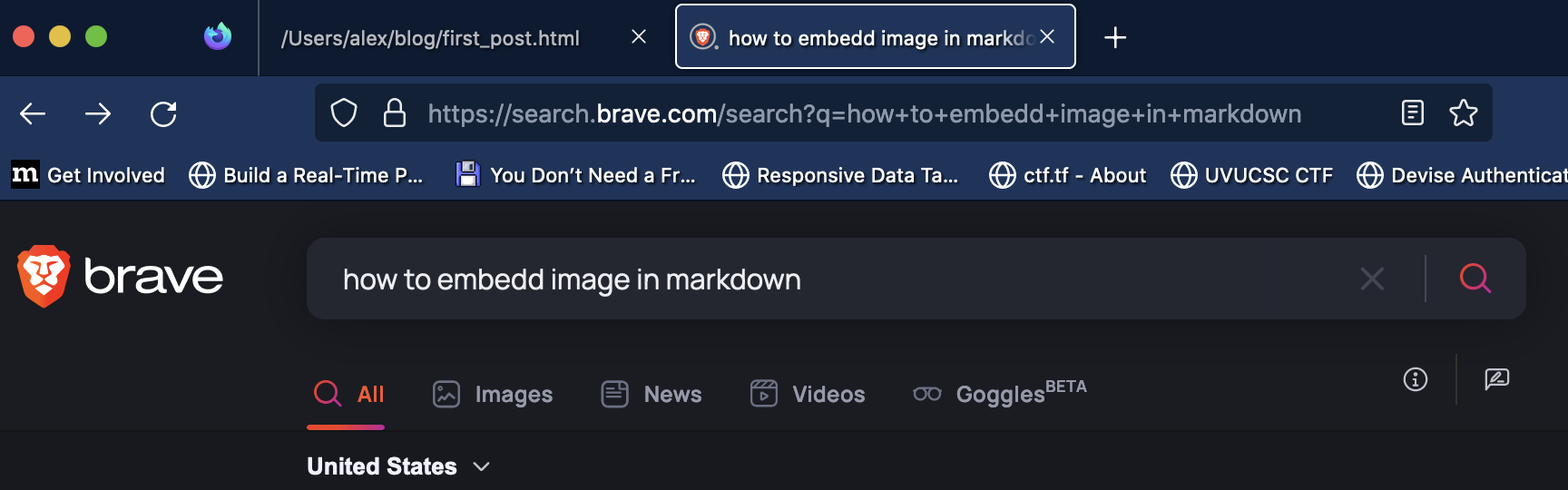
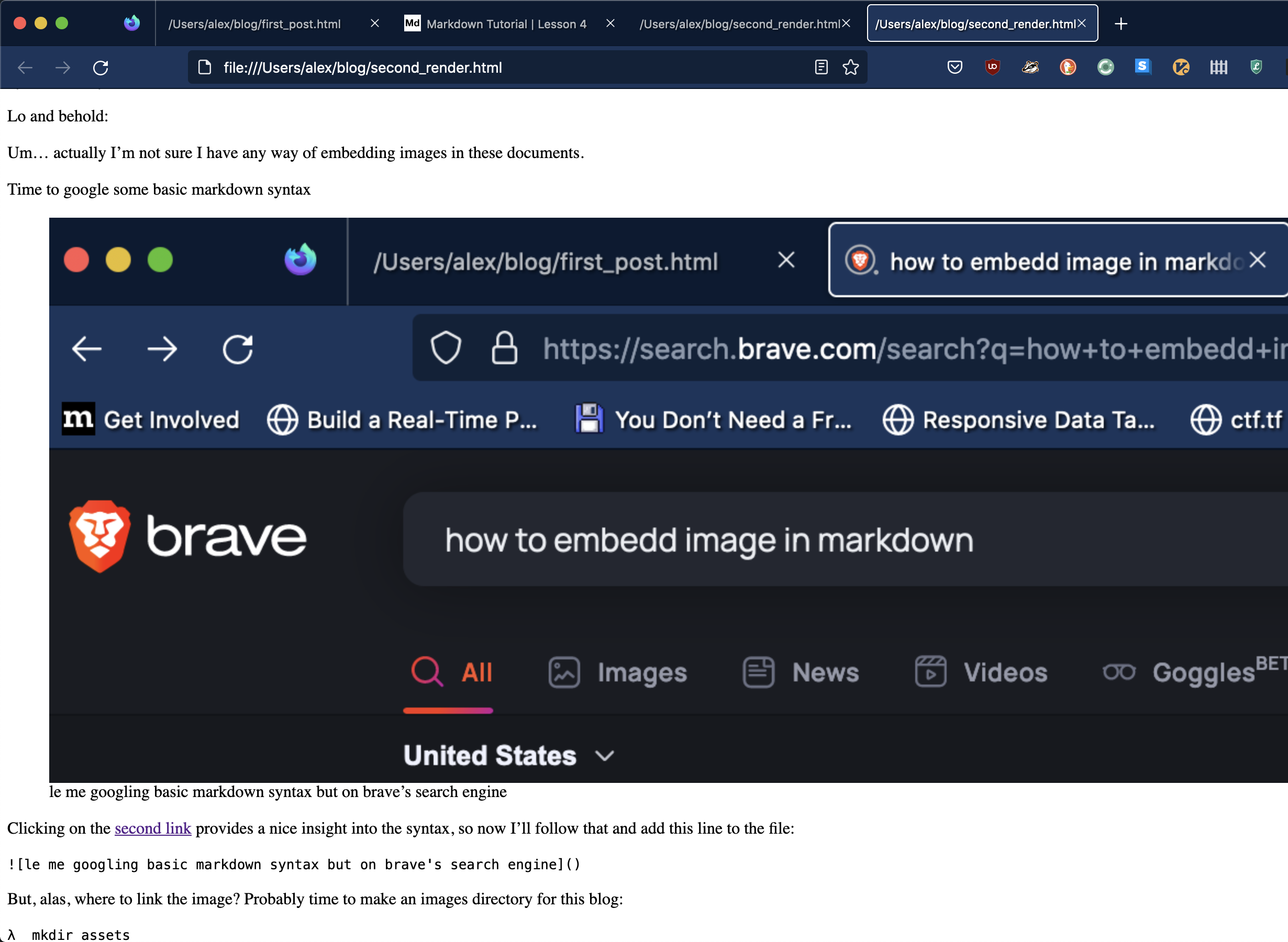
λ pandoc making_a_static_blog_from_scratch.md -o second_render.htmlλ open second_render.html
Aha! Now! Lo and Behold:
This deal gets more recursive all the time.
Elements of Style
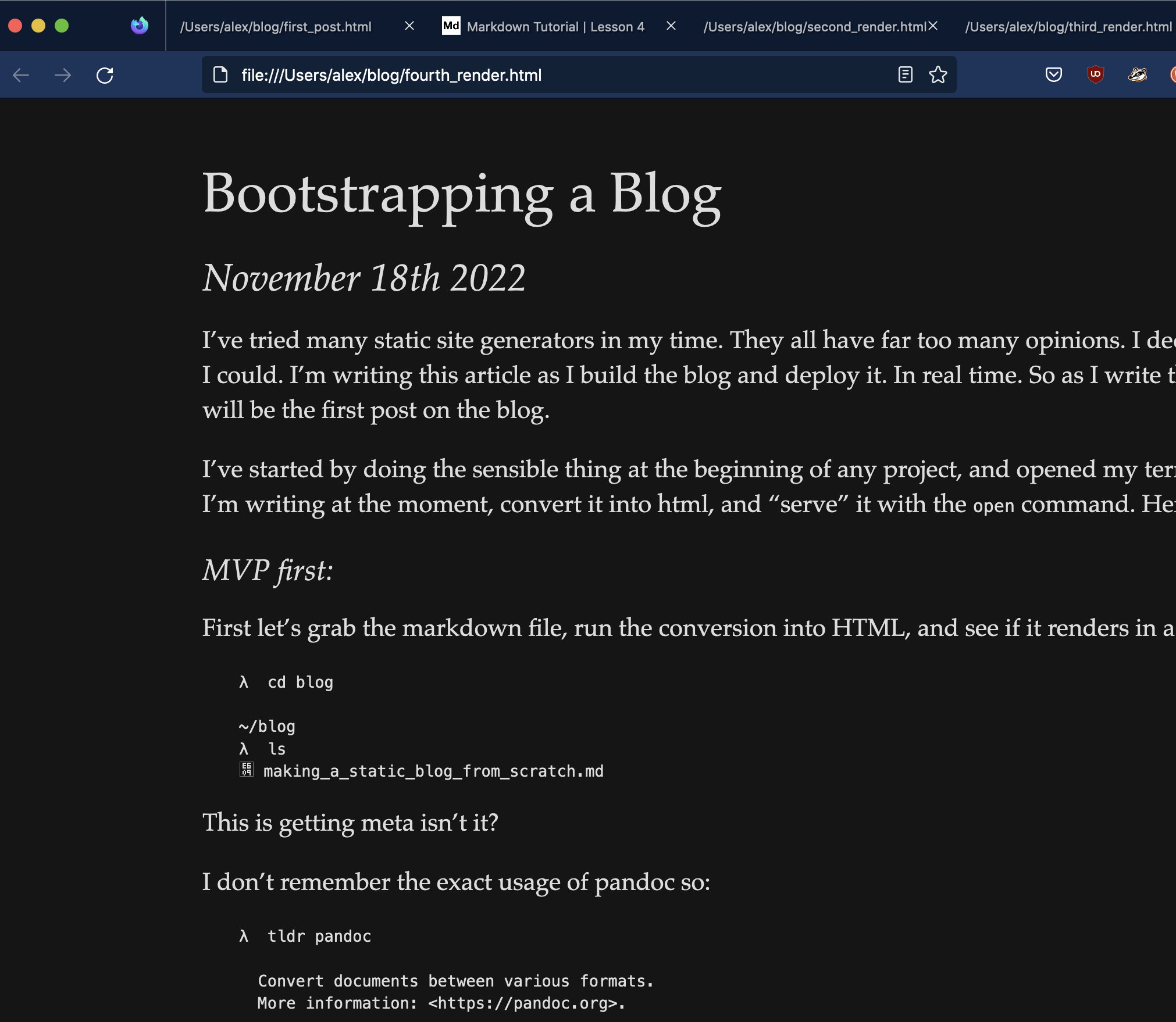
I detest unstyled html pages (lookin’ at you Richard Stallman). So let’s beef this thing up shall we?
For some time I’ve wanted to build a blog using Tufte CSS. I’m a big fan of the side column with footnotes. (This will probably prevent me from writing so many parenthetical statements). In fact, it would be cool to automate away my parenthetical statements into footnotes with a script or something.
In the mean time, let’s see how much style we can get away with by pasting a simple link to the public style sheet.
λ mkdir assets/stylesheetsλ curl https://raw.githubusercontent.com/edwardtufte/tufte-css/gh-pages/tufte.css > assets/stylesheets/tufte.css% Total % Received % Xferd Average Speed Time Time Time CurrentDload Upload Total Spent Left Speed100 11212 100 11212 0 0 41069 0 --:--:-- --:--:-- --:--:-- 41069λ ls assets/stylesheets tufte.css
(There’s a minified version but I’ll grab it later, I’ll keep the large one, easier to tweak)
Let’s look at what pandoc generated shall we?
λ ll *.html.rw-r--r-- alex staff 1.8 KB Fri Nov 18 21:52:48 2022 first_post.html.rw-r--r-- alex staff 3.6 KB Fri Nov 18 22:14:42 2022 second_render.html.rw-r--r-- alex staff 3.6 KB Fri Nov 18 22:14:48 2022 third_render.htmlλ bat third_render.html───────┬──────────────────────────────────────────────────────────────────────────────── │ File: third_render.html───────┼────────────────────────────────────────────────────────────────────────────────1 │ <h1 id="bootstrapping-a-blog">Bootstrapping a Blog</h1>2 │ <h2 id="november-18th-2022">November 18th 2022</h2>3 │ <p>I’ve tried many static site generators in my time. They all have far too man │ y opinions. I decided to build the most minimal possible blog I could. I’m writ │ ing this article as I build the blog and deploy it. In real time. So as I write │ this paragraph. The blog doesn’t exist. This will be the first post on the blo │ g.</p>4 │ <p>I’ve started by doing the sensible thing at the beginning of any project, an │ d opened my terminal. My goal for tonight is to take this file I’m writing at t │ he moment, convert it into html, and “serve” it with the <code>open</code> comm │ and. Here are a few things I’ll need:</p>...
I’m pleasantly surprised. Pandoc didn’t generate a full html file with a doctype declaration, body etc. It only translated the direct elements like headers and paragraphs. I have an idea about how I’ll build this into a neat little system. But more on that later.
Thinking on paper here, each page when rendered is going to need:
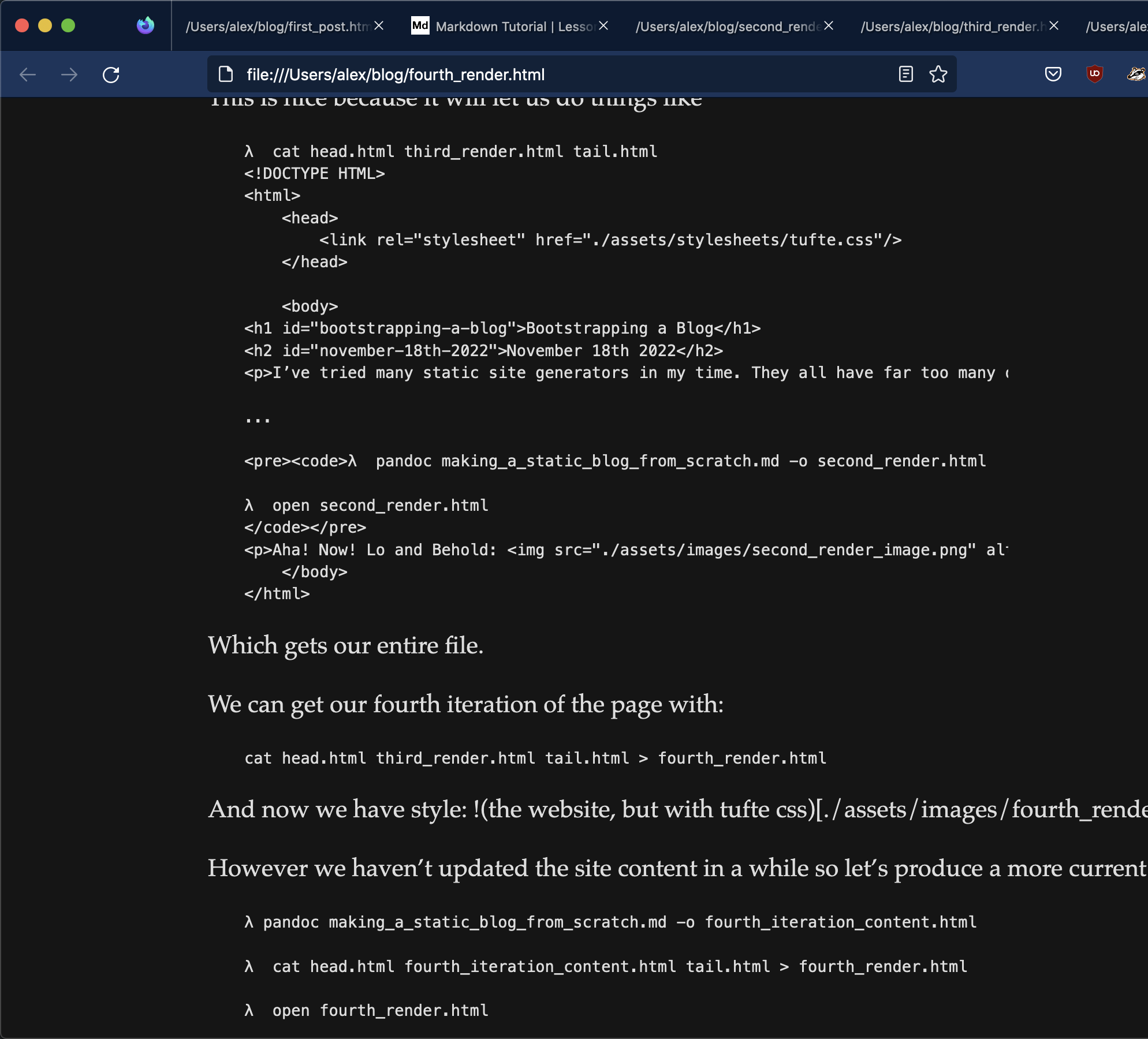
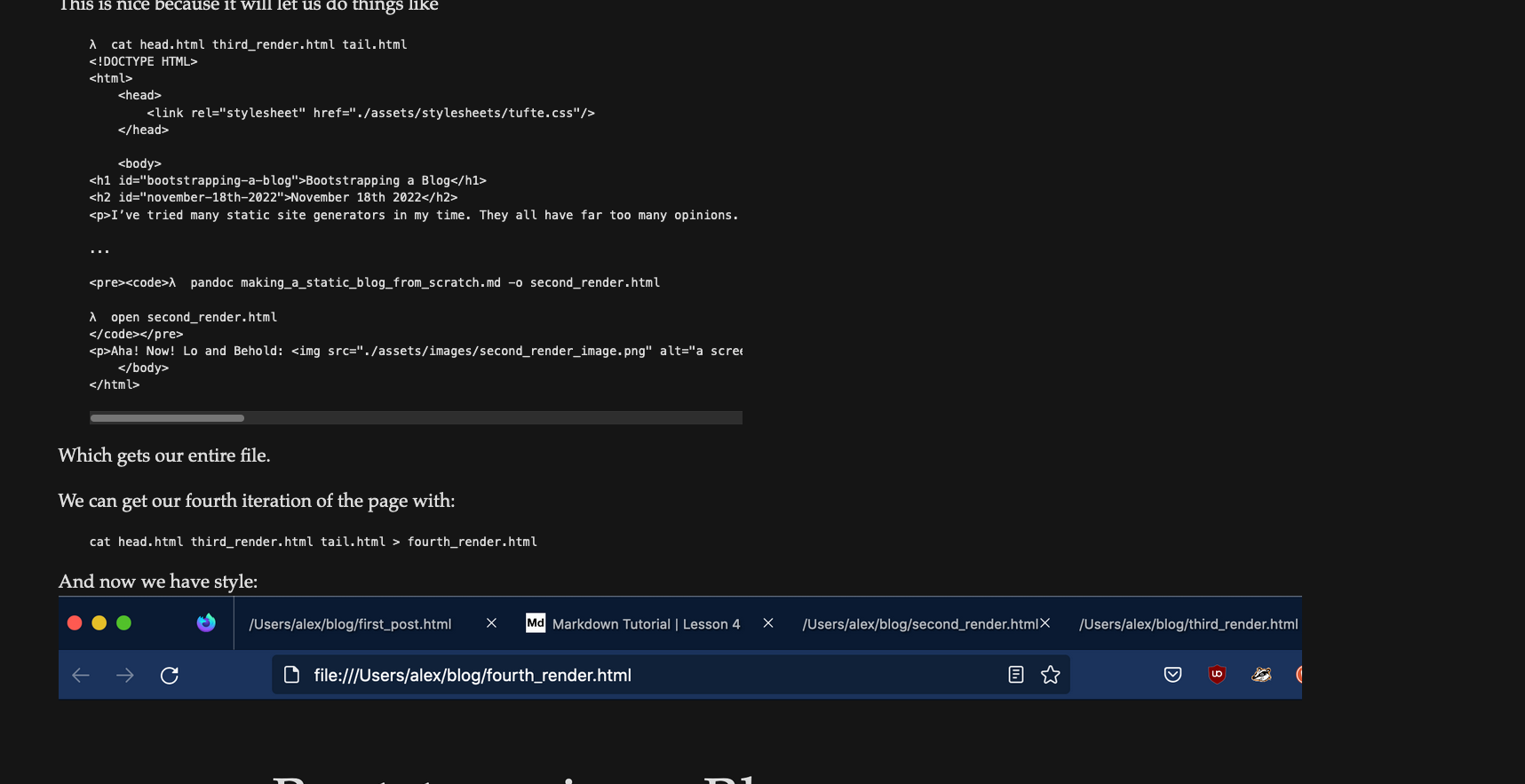
This is nice because it will let us do things like
λ cat head.html third_render.html tail.html<!DOCTYPE HTML><html><head><link rel="stylesheet" href="/assets/stylesheets/tufte.css"/></head><body><h1 id="bootstrapping-a-blog">Bootstrapping a Blog</h1><h2 id="november-18th-2022">November 18th 2022</h2><p>I’ve tried many static site generators in my time. They all have far too many opinions. I decided to build the most minimal possible blog I could. I’m writing this article as I build the blog and deploy it. In real time. So as I write this paragraph. The blog doesn’t exist. This will be the first post on the blog.</p>...<pre><code>λ pandoc making_a_static_blog_from_scratch.md -o second_render.htmlλ open second_render.html</code></pre><p>Aha! Now! Lo and Behold: <img src="/assets/images/second_render_image.png" alt="a screenshot of the second render" /></p></body></html>
(An astute reader will notice I had swapped the parens and square braces for the previous image. That is now fixed.)
Automating
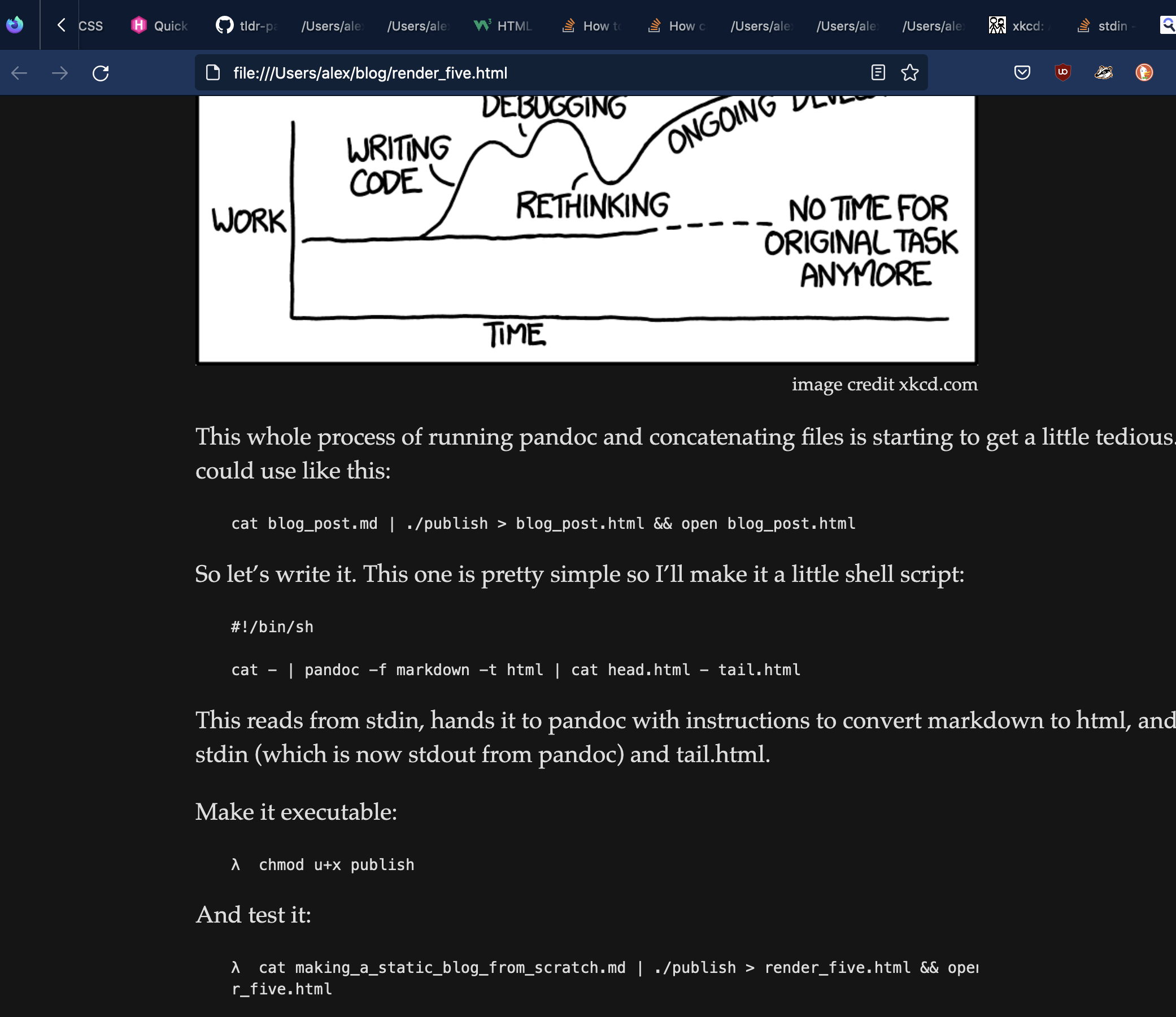
image credit xkcd.com/1319
This whole process of running pandoc and concatenating files is starting to get a little tedious. It would be nice to have a script we could use like this:
This reads from stdin, hands it to pandoc with instructions to convert markdown to html, and then concatenates the head.html with stdin (which is now stdout from pandoc) and tail.html.
Define a quick alias and we won’t have to think about it much anymore:
alias publish='cat making_a_static_blog_from_scratch.md | ./publish > current.html && open current.html'
Actually, better yet throw that into a Makefile:
publish_blog:@echo "Publishing..."@cat making_a_static_blog_from_scratch.md | pandoc -f markdown -t html | cat head.html - tail.html > current.html && open current.html
And now an invocation of make will pop open the most recent version of the post in my browser. I’d like to do batches of posts eventually and additional makefile commands will be useful as the site becomes more sophisitcated. But we’ll cross that bridge when we get there.
Custom Styling
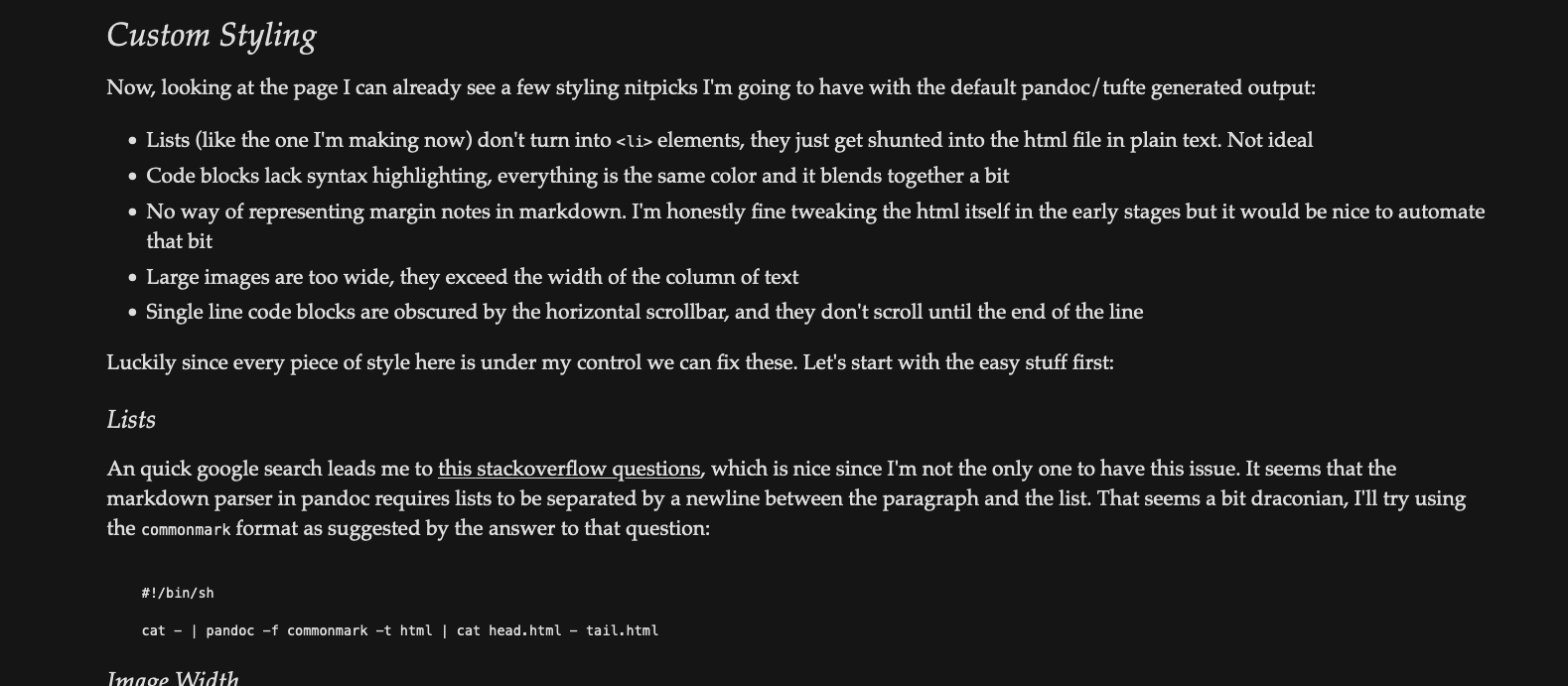
Now, looking at the page I can already see a few styling nitpicks I’m going to have with the default pandoc/tufte generated output:
Lists (like the one I’m making now) don’t turn into <li> elements, they just get shunted into the html file in plain text. Not ideal
Code blocks lack syntax highlighting, everything is the same color and it blends together a bit
No way of representing margin notes in markdown. I’m honestly fine tweaking the html itself in the early stages but it would be nice to automate that bit
Large images are too wide, they exceed the width of the column of text
Single line code blocks are obscured by the horizontal scrollbar, and they don’t scroll until the end of the line
Blockquotes lack a distinct visual style and tend to blend into the rest of the content
Luckily since every piece of style here is under my control we can fix these. Let’s start with the easy stuff first:
Lists
An quick google search leads me to this stackoverflow question, which is nice since I’m not the only one to have this issue. It seems the markdown parser in pandoc requires lists to be separated by a newline between the paragraph and the list. That seems a bit draconian, I’ll try using the commonmark format as suggested by the answer to that question:
But is it worth it? After some finagling and looking around at different features I find I like the <figcaption> tags generated by the regular markdown parser. I’ll stick with that and remember to include a newline between lists items and the preceding line. You win some, you lose some.
Image Width
See how that image hangs off the right hand side? Not ideal.
This one was easy but involved delving a bit more deeply into the tufte css file. Most of the layout styling is applied to elements which are children of a semantic <section> tag, and the default tufte handling of images is a much more sane approach. Sure enough, adding <article> and <section> tags to head.html applies the sane styling to images:
This of course means each <article> has only one <section>, but it works well enough for now so I’ll leave it.
Syntax Highlighting
I went down several rabbit holes here. Starting with pure CSS libraries, moving into random command line tools, contemplating giving up my goal of using zero Javascript for this site. Pandoc though, continues to impress me. Examining the output of any code block generated reveals that pandoc parses the code and puts individual terms into <span> tags with a set of pre-defined classes. Where are those classes defined you ask? Well, it depends. Pandoc syntax highlighting relies on another haskell library called skylight to generate colorized output in pretty nearly any form you choose (HTML, ePub, PDF etc.). This is amazing! And, if I were using the handy -a option pandoc provides, it would generate the needed stylesheet and insert the classes into a <style> tag in the head of the document.
As mentioned before, I’m using pandoc so far to create only fragments of HTML and not complete documents. After discovering the syntax highlighting feature I seriously considered using pandoc as a complete solution. But truth be told I’d like to have as much control over the HTML as I can. So I’ll stick with my simple (if unorthodox) cat solution for the time being.
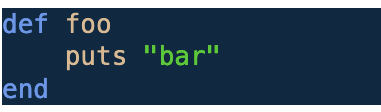
However, I’d still love the syntax highlighting capability for <code> blocks. Pandoc by default will annotate code blocks and their content with various classnames:
As you can see, pandoc annotates each token in the language generically and lets us apply specific styles later. All we need to do is provide the classes that represent keywords and strings etc. I looked into using skylight directly to generate the needed CSS, but it looks like the actual HTML/CSS generation is hidden within a Haskell library and the command line version won’t generate pure css. Fortunately we can cheat a little.
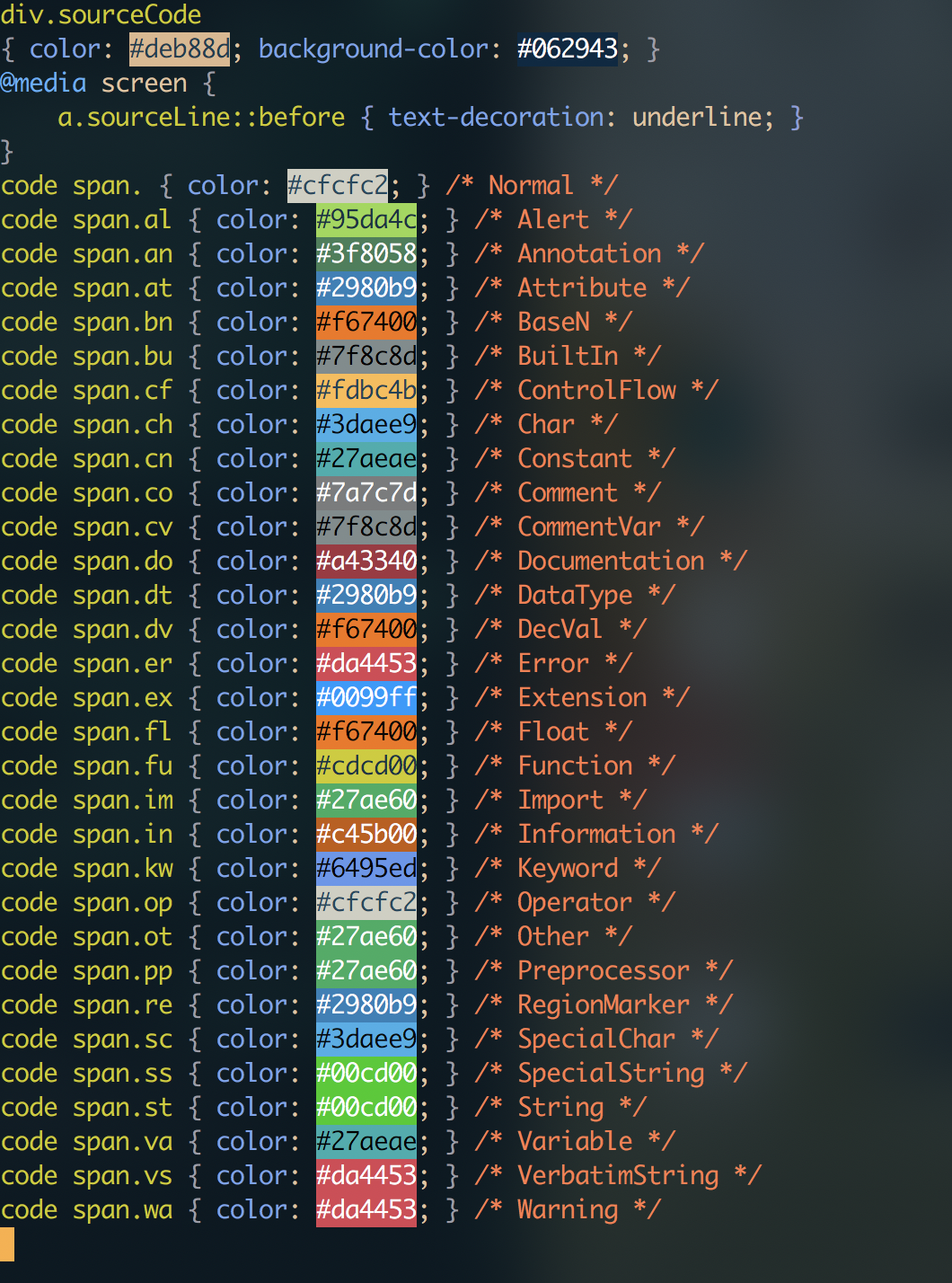
As this stackoverflow question points out, it’s possible to dump the raw theme file (which is just json), modify it, and then tell pandoc to use that theme. I’d like to make my code blocks match my terminal theme and editor color customizations as closely as possible. For now I’ll just copy the default theme generated by pandoc --print-highlight-style breezedark > breezedark.theme and tweak it to my liking.
I’ll leave the default color options for syntax highlighting alone for now and set the background and foreground colors to #0629435c and #deb88d respectively.
Now we can slurp up the css from our generated file:
Emacs colorized hex color codes for syntax highlighting
And move it into our assets/stylesheets directory.
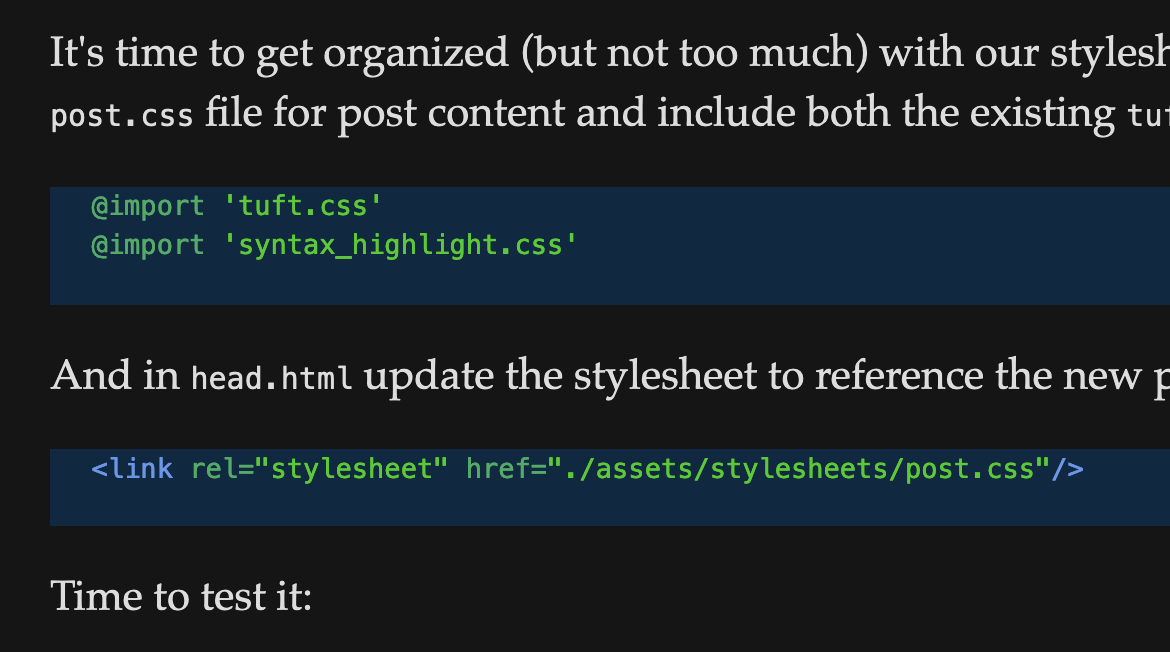
It’s time to get organized (but not too much) with our stylesheets so I’ll create a new post.css file for post content and include both the existing tufte.css in it:
Some of the default styling needs work, I’ll probably keep nearly everything from Tufte as far as layout of code blocks and then let the pandoc/skylight styling do the rest with some modifications in highlights as they come up.
Margin Notes
Proper margin and footnotes in Tufte follow this pattern:
<p>One of the most distinctive features of Tufte’s style is his extensive use of sidenotes.<label for="sn-extensive-use-of-sidenotes" class="margin-toggle sidenote-number"></label><input type="checkbox" id="sn-extensive-use-of-sidenotes" class="margin-toggle"><span class="sidenote">This is a sidenote.</span>Sidenotes are like footnotes, except they don’t force the reader to jump their eye to the bottom of the page, but instead display off to the side in the margin.</p>
I don’t want to have to type all that out by hand every time I want to make a note. Preferably I’d be able use syntax like what pandoc recognizes for notes and have the process be automatic.
λ cat making_a_static_blog_from_scratch.md |pandoc --filter pandoc-sidenote -f markdown -t html |cat head.html - tail.html > current.htmlpandoc-sidenote: Error in $: Incompatible API versions: encoded with [1,17,5,4] but attempted to decode with [1,22].CallStack (from HasCallStack):error, called at src/Text/Pandoc/JSON.hs:107:64 in pandoc-types-1.22-Bw7urHogZSoFhJ20EcUJPg:Text.Pandoc.JSONError running filter pandoc-sidenote:Filter returned error status 1
Well that’s no fun. It’s worth noting that I installed pandoc some time ago and sure enough:
λ pandoc --versionpandoc 2.5
Which according to the documentation is not a supported version. I think I’ll take a risk and blow pandoc away, and install the latest which by my count is 2.19. It makes me nervous this late in the game, but hey, what’s the worst that could happen?
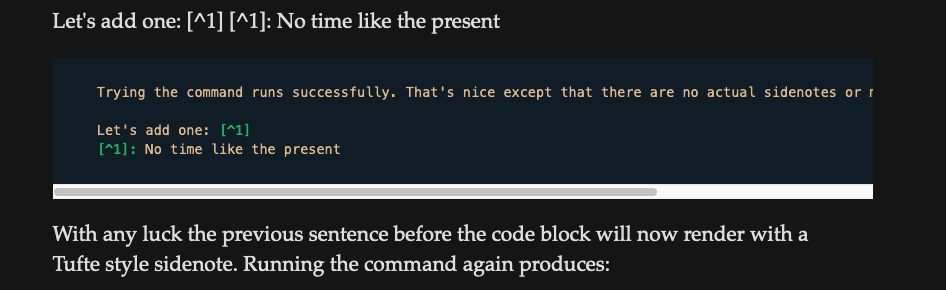
I was really hoping to humorously tempt fate when I wrote that, but trying the command runs successfully. That’s nice except that there are no actual sidenotes or marginnotes in this document.
Let’s add one: No time like the present
Trying the command runs successfully. That's nice except that there are no actual sidenotes or marginnotes in this document.Let's add one: [^1][^1]: No time like the present
With any luck the previous sentence before the code block will now render with a Tufte style sidenote. Running the command again produces:
screenshot of an unsuccessful sidenote
No dice.
After some finagling, I found that one needs to specify the footnotes extension as part of the markdown format to pandoc:
pandoc --filter pandoc-sidenote -f markdown+footnotes -t html
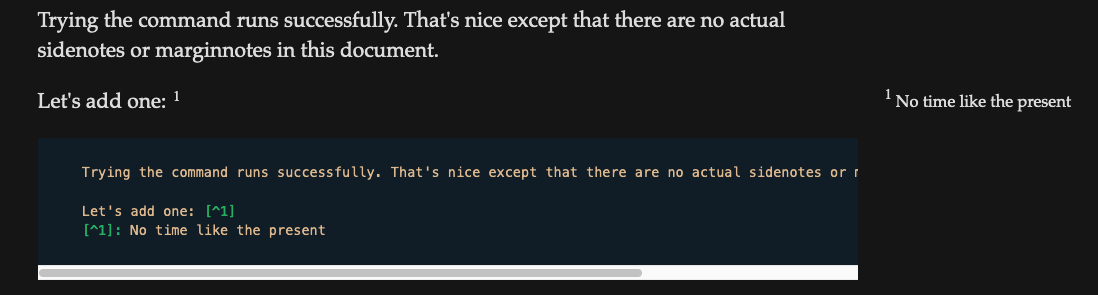
Once that’s in place, it goes smoothly:
screenshot of a successful sidenote
Just like magic. Kudos to markdown and pandoc-sidenotes. Sorry-not-sorry if the reverse time recursive image thing is getting a little out of hand.
Scrollbar issues with <code> blocks
I’m not in love with the current appearance of the horizontal scrollbars:
The unstyled scrollbar
Fortunately MDN provides a description of a css attribute scrollbar-color. Which allows you to style the scrollbar no matter what random redditors have to say:
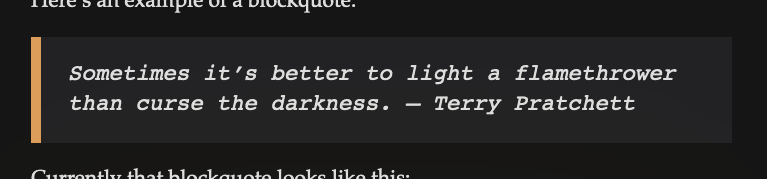
Sometimes it’s better to light a flamethrower than curse the darkness.
– Terry Pratchett
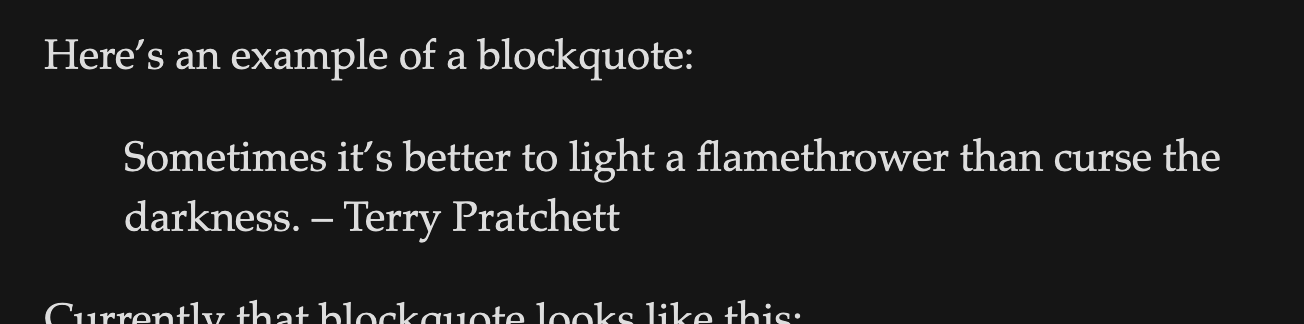
As I write this paragraph, that blockquote looks like this:
unstyled blockquote
It’s not awful, but it’s not excellent either.
A few things that could make it better:
Font styling
Background color
Left border
The ability to control where newlines appear
Let’s work on adding those. Here’s what the css looks like currently:
blockquote {font-size: 1.4rem;}blockquote p {width: 55%;margin-right: 40px;}
First off, I’d like the background color to be slightly different. However since the blockquote element takes up the full content of the <section>, I think I’ll swap the width of the blockquote p with the blockquote, and let the child <p> always take up 100% of its parent <blockquote>:
blockquote {font-size: 1.4rem;width: 55%;}blockquote p {width: 100%;margin-right: 40px;}
Once that’s taken care of all that remains is to set up some background color and padding:
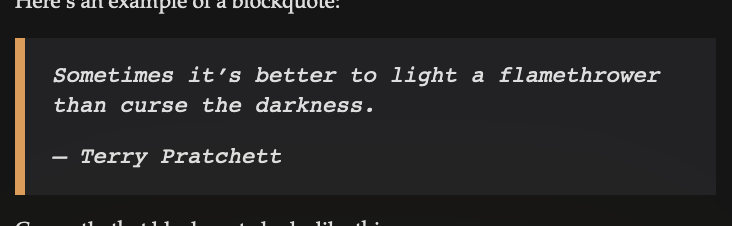
Better. I would still like the -- Terry Pratchett bit to appear with a newline between the quote body though.
I’m not sure there’s a way to get the markdown to work that way honestly. Pandoc removes the implied newline completely, which is in line with markdown spec if I recall. Here’s what it is now:
> Sometimes it's better to light a flamethrower than curse the darkness.> -- Terry Pratchett
Playing around with it for a moment I find that I can get it to behave the way I want if I include a non-emptyNote the single space character on the “blank” line
line between the two:
> Sometimes it's better to light a flamethrower than curse the darkness.> > -- Terry Pratchett
Here’s the final result for the blockquote:
final blockquote style
I like this for big callouts to a piece of text. However I would prefer smaller callouts to be available. For now I suspect I will simply italicize those and leave them in italics.
The End?
In short, no. Though much has been accomplished:
Lists don’t turn into <li> elements => Include a newline between the list and the previous line, or use commonmark
Code blocks lack syntax highlighting => Solved with pandoc extension
No way of representing margin notes in markdown. => Solved with pandoc extenstion
Large images are too wide => Structure the page the way tufte css expects
Code block scrollbar issues => Use the scrollbar-color css attribute and some pseudo-classes to style
Blockquotes need more distinct styling => Done with the above customizations.
There are various other changes I made as I went along that I don’t feel the need to document here, both in terms of text and style. If you’re curious, you can always pull up the site inspector yourself. After all, the map is not the territory.
It is at this point that I will stop documenting styling and layout changes to posts. It has been a useful excercise, and I suspect that the only reason I’ve come this far is because I’ve treated the development process as a way to both code and write at the same time. After all, the two things are not so different when done properly.
Content styling is complete. The remainder has yet to be built.
There are more things in heaven and earth, Horatio,
Than are dreamt of in your philosophy.
Bootstrapping a Blog: The Thrilling Sequel (Part 2)
January 14 2023
Well I’ve got a simple praxis by which I can turn markdown files into html files. But this hardly makes a website.
It’s at this point that I’m going to need to distinguish between what is me writing on my machine locally, and what is going to be a published part of the web. I’ve reorganized the directory structure of the blog project to look like this:
As a brief explanation of this directory structure:
assets/ => Contains all CSS, Images, fonts, etc.
data/ => Contains configuration files, and partial html fragments that will be concatenated with dynamically generated pieces of html
dev/ => The unpublished content of the site. I should be able to point a local web server at this directory and view the unpublished site.
prod/ => This should be a directory that I can point a public web server at and have available on the internet
posts/ => This is where the site content goes. It will be plain markdown files that eventually get published into html.
scripts/ => The various scripts that glue the site together
Makefile => The MakefileThough I’ve been tempted to switch to just
will be the jump off point for developing the site. make dev will launch the local version, make publish will copy get the site onto the production server, and so on.
The remainder of this post will be the implementation of these processes.
assets/
The current structure of my assets folder looks like this:
Where home.css will contain styling related to the landing page, about page, etc. post will contain the styling for written content (such as what you’re reading now), and meta.css will pertain to anything like the site header/footer/nav etc. that should appear on most pages but not be related to the content itself. Each of these style concerns can be organized in their own directories as well.
So:
λ touch main.css home.css meta.cssλ mkdir post meta homeλ mv post.css post &&mv meta.css meta &&mv home.css home &&mv syntax_highlight.css post &&mv tufte.css postpost.css -> post/post.cssmeta.css -> meta/meta.csshome.css -> home/home.csssyntax_highlight.css -> post/syntax_highlight.csstufte.css -> post/tufte.cssλ ls --tree assets/stylesheets assets/stylesheets├── main.css├── home│ └── home.css├── meta│ └── meta.css└── post ├── post.css ├── syntax_highlight.css └── tufte.css
Now a quick edit of head.html to put everything back where it needs to go:
dt.json a product of building the home page. I may store other config files here in the future we’ll see. HTML fragments get grouped into directories based on the pages they are for.
prod/ and dev/
Are the published and unpublished versions of the site, respectively. For the initial beta, I’m going to use surge. But the end goal here is a full nginx setup on a box I can shell into. All surge requires is a file named index.html, and the rest gets built from there.
First, I’ll need a mechanism by which I can take the posts in the posts/ directory, turn them into an ordered list of html files, and concatenate them into an index page. So let’s get that done shall we?
#!/usr/bin/env bash## Remember! All relative paths are relative to the Makefile in the project root.## Ensure that the dev directory has an index file and a posts directorymkdir -p "$ROOT/dev/posts"## Remove these files if they exist[!-e"./dev/posts.html" ]||rm"./dev/posts.html"[!-e"./dev/temp.html" ]||rm"./dev/temp.html"touch ./dev/temp.htmlforp in ./posts/*.md;do## Transform the file into html, and put it in the ./dev/posts/ direcotryOF=`(echo"$p"|gsed's/.md/.html/')` ## Turn"foo.md" into "foo.html" for pandocOF="./dev/posts/`basename$OF`" ## Get the proper relative path for the output filecat$p|pandoc --filter pandoc-sidenote -f markdown+footnotes -t html |cat ./data/fragments/posts/head.html - ./data/fragments/posts/tail.html >$OF## Now add a ul element to theREL_PATH="./posts/`basename$OF`" ## This is the relative path to the post itself from the perspective of the post_index fileecho" <li><a href='$REL_PATH'>$(basename$OF)</a></li>">> ./dev/temp.htmldone;cat ./data/fragments/posts_index/head.html ./dev/temp.html ./data/fragments/posts_index/tail.html > ./dev/posts.html;rm"./dev/temp.html"
Ah, bash. You beautiful abomination of a scripting language you.
Now there is one small problem here, which is that the posts are un-ordered and that I get the raw filenames instead of a user friendly display name.
Navbar and Header
I’m going to start by building the navbar and the header. I can add the following to head.html:
Obviously those will just be dead links until the pages exist. But this is as far as I got today. This process will continue in a later post.
Bootstrapping a Blog: An Interlude (Part 2 1/2)
January 14 2023
“In four thousand years we could have made a better stove.”
“Would I be able to take that stove apart and fix it?”
“You wouldn’t have to, because it would never break.”
“But I want to know if I could understand such a stove.”
“You’re the kind of person who could probably understand just about anything if you set your mind to it.”
“Nice flattery, Raz, but you keep dodging the question.”
“All right, I take your point. You’re really asking if the average person could understand the workings of such a thing…”
“I don’t know what an average person is. But look at Yul here. He built his stove himself. Didn’t you, Yul?”
Yul was uneasy that Cord had suddenly made this conversation about him. But he deferred to her. He glanced away and nodded. “Yup. Got the burners from scavengers. Welded up the frame.”
“And it worked,” Cord said.
“I know,” I said, and patted my belly.
“No, I mean the system worked!” Cord insisted.
“What system?”
She was exasperated. “The… the…”
“The non-system,” Yul said. “The lack of a system.”
“Yul knew that stoves like this were unreliable!” Cord said, nodding at the broken one
“He’d learned that from experience.”
“Oh, bitter experience, my girl!” Yul proclaimed.
“He ran into some scavengers who’d found better burner heads in a ruin up north. Haggled with them. Figured out a way to hook them up. Probably has been tinkering with them ever since.”
“Took me two years to make it run right,” Yul admitted.
“And none of that would have been possible with some kind of technology that only an avout can understand,” Cord concluded."
– Excerpt from “Anathem” by Neal Stephenson
I realize that as I began my last post I failed to fully express my thoughts as to why I’m building a system for writing this way. After all, why re-invent the wheel? Because a) it’s fun to make it rounder.With apologies to the Mojolicious Framework from whom I borrowed that turn of phrase.
And b) I find myself often in a similar vein of thought to Yul in the above quote from Anathem. By creating my own system, I am not bound by someone else’s thought process.
The Site Itself
It was important to me in this project to make writing come first, hence the beginning of this project as a plain markdown file with no code. But now that I’ve written this much I would like to have a proper site to contain the content. The motivation for this project is primarily to create a place of my own making in which I can record my thoughts, but that’s not the only thing.
I want this site to be a reflection of myself, and the work I’ve put into a particular skillset as well as the understanding that has come with that skillset. It’s kind of the status quo for a developer to build themselves a little portfolio site that they can target at employers or clients, but that’s not what this site is.
So nothing is off the table. I’m not going to restrict the design here as a result of who I worry might read it, or out of some desire for the end user because ultimately I am the end user here. This little project is my sandbox in which I will construct castles and knock them down as I please.
Fundamentally programming isn’t so much about having an employable skillset (though it’s a very useful side effect), it’s part of this impossible quest for perfection, or the perfect description of a problem, or the perfect language. There’s a very specific kind of thrill that comes with breaking down a problem and finding the codified description of its solution. It’s probably the closest thing we get to have as a society to magic, the wizard in a tower working on some arcane spell variety I mean.
So when all is said and done, this project is more about having something that I understand because I’ve built it myself, from scratch.
Bootstrapping a Blog: Picking This Back Up (Part 3)
January 2nd 2024
It’s been over a year since I started this project. By my last count the last post I wrote was in February of 2023, so that’s nice I suppose.
A lot has happened and I’ve been very busy with school and work. My previous machine (a 2016 MacBook Pro) died on me one day so now I’m running Debian on a cheap laptop I bought off of craigslist. And the free as in freedom has been worth it, I never should have waited so long to go back to Linux.
Consequently, most of my build tools for this project are no longer installed, and my scripts rely on some subtleties of a system that I’m no longer running. It’s a new year, and I’d like to write more.
I’m afraid I fell victim to one of the classic blunders: not producing a minimum viable product. I wanted too much magic, too quickly. Ain’t that just the way? I still have some cool ideas for how I’d like my site to work, but I’d also really like to have the site be available to the internet. So for now, a simple blurb and an index list of posts will suffice for a home page.
But first…
Fixing the Entire Build
One consequence of losing my old system is that nothing really works anymore. Pulling down the repo I keep this blog inside and invoking make produces:
λ makePublishing...mkdir: cannot create directory ‘/dev/posts’: Permission deniedtouch: cannot touch './dev/temp.html': No such file or directory./scripts/publish.sh: line 19: gsed: command not foundbasename: missing operandTry'basename --help' for more information../scripts/publish.sh: line 21: ./dev/posts/: No such file or directoryError running filter pandoc-sidenote:Could not find executable pandoc-sidenote./scripts/publish.sh: line 24: gsed: command not found./scripts/publish.sh: line 29: ./dev/temp.html: No such file or directory./scripts/publish.sh: line 19: gsed: command not foundbasename: missing operandTry'basename --help' for more information.--snip--...
#!/usr/bin/env bash## Remember! All relative paths are relative to the Makefile in the project root.## Ensure that the dev directory has an index file and a posts directorymkdir -p "$ROOT/dev/posts"## Remove these files if they exist[!-e"./dev/posts.html" ]||rm"./dev/posts.html"[!-e"./dev/temp.html" ]||rm"./dev/temp.html"touch ./dev/temp.htmlforp in ./posts/*.md;do## Transform the file into html, and put it in the ./dev/posts/ direcotryOF=`(echo"$p"|gsed's/.md/.html/')` ## Turn"foo.md" into "foo.html" for pandocOF="./dev/posts/`basename$OF`" ## Get the proper relative path for the output filecat$p|pandoc --filter pandoc-sidenote -f markdown+footnotes -t html |cat ./data/fragments/posts/head.html - ./data/fragments/posts/tail.html >$OF## Get some metadata:TITLE=$(cat$p|gsed -rn 's/.*title: ?\"(.*?)?\".*/\1/p')## Now add a ul element to the REL_PATH="./posts/`basename$OF`" ## This is the relative path to the post itself from the perspective of the post_index fileecho" <li><a href='$REL_PATH'>$TITLE</a></li>">> ./dev/temp.htmldone;cat ./data/fragments/posts_index/head.html ./dev/temp.html ./data/fragments/posts_index/tail.html > ./dev/posts.html;rm"./dev/temp.html"
It’s not the cleanest, but it is bash.
So there are some obvious problems here. For tools such as sed and basename I wrote them on a BSD-like system, so I’ll need to convert everything to rely on the GNU Coreutils.
A couple of steps to walk through:
gsed needs to be sed, since I installed the GNU version on MacOS
basename isn’t getting the correct file name because of the failed output to gsed, replace gsed with sed
Install pandoc-sidenote locally.
And that should get us started.
gsed to sed
The uninspired way to do this would be to do a find replace in an editor. But, it would be more ironic to use the sed to destroy the gsed as follows:
λ bat scripts/publish.sh |rg gsedOF=`(echo"$p"|gsed's/.md/.html/')` ## Turn"foo.md" into "foo.html" for pandocTITLE=$(cat$p|gsed -rn 's/.*title: ?\"(.*?)?\".*/\1/p')λ sed -i s/gsed/sed/ scripts/publish.sh λ bat scripts/publish.sh |rg gsedλ bat scripts/publish.sh |rg sedOF=`(echo"$p"|sed's/.md/.html/')` ## Turn"foo.md" into "foo.html" for pandocTITLE=$(cat$p|sed -rn 's/.*title: ?\"(.*?)?\".*/\1/p')
So there we go. That should solve several problems.
Now the output of our script is:
λ makePublishing...mkdir: cannot create directory ‘/dev/posts’: Permission deniedtouch: cannot touch './dev/temp.html': No such file or directory./scripts/publish.sh: line 21: ./dev/posts/bootstrapping_a_blog_interlude.html: No such file or directoryError running filter pandoc-sidenote:Could not find executable pandoc-sidenote./scripts/publish.sh: line 29: ./dev/temp.html: No such file or directory./scripts/publish.sh: line 21: ./dev/posts/bootstrapping_a_blog_picking_back_up.html: No such file or directoryError running filter pandoc-sidenote:
Well the first issue there is that we need to stop creating things in /dev, the issue is this line right here:
mkdir -p "$ROOT/dev/posts"
$ROOT is not set, so I should either add a check for it or just assume that the script will be run from the same directory as the Makefile. I’d say it’s a safe assumption, and from this point onward I’ll use the Makefile as the script runner. Changing the line to:
mkdir -p "./dev/posts"
produces:
Publishing...Error running filter pandoc-sidenote:Could not find executable pandoc-sidenoteError running filter pandoc-sidenote:Could not find executable pandoc-sidenoteError running filter pandoc-sidenote:Could not find executable pandoc-sidenoteError running filter pandoc-sidenote:Could not find executable pandoc-sidenoteError running filter pandoc-sidenote:Could not find executable pandoc-sidenoteError running filter pandoc-sidenote:Could not find executable pandoc-sidenoteError running filter pandoc-sidenote:Could not find executable pandoc-sidenoteError running filter pandoc-sidenote:Could not find executable pandoc-sidenoteError running filter pandoc-sidenote:Could not find executable pandoc-sidenoteError running filter pandoc-sidenote:Could not find executable pandoc-sidenote
Progress.
Pandoc-Sidenote
Now, back on MacOS this was a simple brew install. But Linux is a system for real hackers who aren’t afraidRead: has bad support for nearly everything.
Otherwise, you’ll have to install from source. This project is written in Haskell and built using Stack. If you’re new to Haskell, now’s a perfect time to wet your toes! Go install Stack first, then run these commands:
First I’m going to install the Haskell toolchain:
λ sudo apt-get install haskell-stack
As it suggests I will:
λ git clone https://github.com/jez/pandoc-sidenoteλ cd pandoc-sidenoteλ stack buildλ stack install
This takes a while, but finally succeeds:
Copied executables to /home/kingsfoil/.local/bin:- pandoc-sidenote
Attempting make publish again:
λ makePublishing...pandoc-sidenote: Error in $: Incompatible API versions: encoded with [1,22,2,1] but attempted to decode with [1,23].CallStack (from HasCallStack):error, called at src/Text/Pandoc/JSON.hs:108:64 in pandoc-types-1.23-2DdtSDCGYZd8HWDhV4DIl9:Text.Pandoc.JSONError running filter pandoc-sidenote:Filter returned error status 1--snip--
λ pandoc --versionpandoc 2.17.1.1Compiled with pandoc-types 1.22.2.1, texmath 0.12.4, skylighting 0.12.3.1,citeproc 0.6.0.1, ipynb 0.2User data directory: /home/kingsfoil/.local/share/pandocCopyright (C) 2006-2022 John MacFarlane. Web: https://pandoc.orgThis is free software;see the source for copying conditions. There is nowarranty, not even for merchantability or fitness for a particular purpose.
Looks like the issue is that pandoc-types has an incompatible version and pandoc needs to be built at version 1.23. Hopefully a quick update to pandoc will do it:
λ sudo apt-get upgrade pandoc
Now, like a fool I forgot that apt-get doesn’t allow you to update a package this way, and that apt-get upgrade will, in fact, upgrade all available packages it can find. Admittedly I hadn’t run an update in a while so I just let it happen. But then, some GRUB related thing updated and I had to opt in to a setting somewhere so if I commit this post in its current state and you never hear from me again, it’s because I never got the machine to boot and I’m currently living as a homeless vagrant wandering Europe playing the mandolin for spare change. And that’s cannon.
Now to really update:
λ sudo apt-get install pandoc --only-upgradeReading package lists... DoneBuilding dependency tree... DoneReading state information... Donepandoc is already the newest version (2.17.1.1-2~deb12u1).
I can see that the latest version of pandoc is in fact 3.1.11, so apt-get is a dead end here. I’m going to upgrade to the latest version from the .deb directly:
λ wget https://github.com/jgm/pandoc/releases/download/3.1.11/pandoc-3.1.11-1-amd64.deb--snip--pandoc-3.1.11-1-amd64.deb 100%[===============================================================================>] 29.43M 2.31MB/s in 15s 2024-01-02 18:22:59 (1.95 MB/s) - ‘pandoc-3.1.11-1-amd64.deb’ saved [30858438/30858438]λ sudo dpkg -i pandoc-3.1.11-1-amd64.deb (Reading database ... 444817 files and directories currently installed.)Preparing to unpack pandoc-3.1.11-1-amd64.deb ...Unpacking pandoc (3.1.11-1) over (2.17.1.1-2~deb12u1) ...Setting up pandoc (3.1.11-1) ...Processing triggers for man-db (2.11.2-2) ...λ pandoc -vpandoc 3.1.11Features: +server +luaScripting engine: Lua 5.4User data directory: /home/kingsfoil/.local/share/pandocCopyright (C) 2006-2023 John MacFarlane. Web: https://pandoc.orgThis is free software;see the source for copying conditions. There is nowarranty, not even for merchantability or fitness for a particular purpose.
There we are. I predict the plugin will break with the new version:
λ makePublishing...
…and it looks like my pessimism goes unrewarded. I’m not complaining. The script ran without errors. Let’s see if it built everything it needed to:
λ  open dev/posts/bootstrapping_a_blog_picking_back_up.html
...
And sure enough the page loads!
Golden
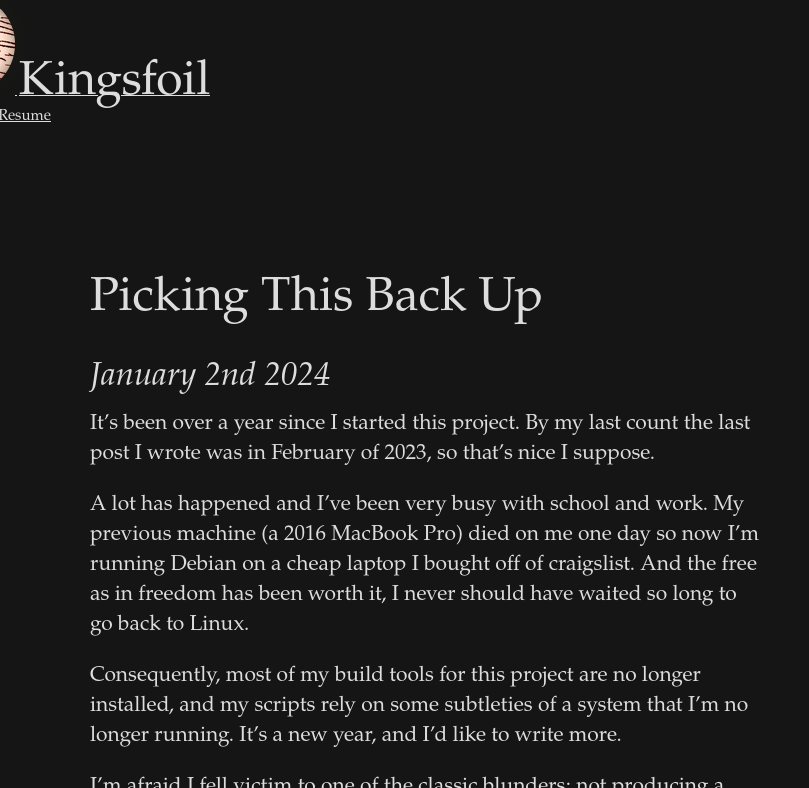
I notice that images are no longer being rendered. But that will be an issue for next time. For the sake of completeness I’m going to sign off now.
Bootstrapping a Blog: Serving Files (Part 4)
January 3rd 2024
In the interest of building a small version of a project and iterating on it, I’m going to forgo uploading this to a Digital Ocean droplet and pointing nginx at it (which is the eventual) plan. And use one of those free static server services that are so handy.
My usual go to in cases like this is surge.sh. There are some other alternatives these days, but I think I’ll stick with this until I get a self hosted solution up and running.
Surge is fairly straightforward:
λ tldr surgeSimple web publishing.More information: <https://surge.sh>.Upload a new site to surge.sh:surge path/to/my_projectDeploy site to custom domain (note that the DNS records must point to the surge.sh subdomain):surge path/to/my_project my_custom_domain.comList your surge projects:surge listRemove a project:surge teardown my_custom_domain.com
As I said in the previous post, it’s a new laptop, so I’ll get that installed with:Plug for asdf which has made node/npm and so many other tools that much better to work with.
λ npm install -g surge--snip--added 112 packages in 5s4 packages are looking for fundingrun`npm fund` for detailsReshimming asdf nodejs...
Now, before we can get running with surge we’ll need to do a couple of things:
Define a build step in the Makefile which creates a built version of the site.
Ensure that an index.html file is constructed and placed at the top of that dir
Point surge at it
And we should be done at that point. Let’s get started:
Make a build
Now, I feel the need to point out that this is actually what Makefiles are for.
from the make(1) man page:
…you can use make with any programming language whose compiler can be run with a shell command. In fact, make is not limited to programs. You can use it to describe any task where some files must be updated automatically from others whenever the others change.
which makes it an appropriate tool for this scenario.
Makefile syntax can be a bit extra, since it’s often used to do a little more than be a command runner. Eventually I’d like to move this project over to using a Justfile, because just is what a Makefile is, minus everything that isn’t command invocation. Makefile syntax can be archaic at times, so I wouldn’t mind the switch.
I’m going to modify the Makefile to distinguish between a local build, and a publish step. First I’d like to create a small script to encapsulate the idea of a publish.
However, first we need to get our semantics right. What I’m currently referring to as publish locally should actually likely be called build. I’m going to use the term publish locally to mean: “take a built project file and put it on the internet”.
I’ll update the Makefile to be:
build:@echo"Building site..."&&./scripts/build.shpublish:@echo"Attempting to publish site..." ./scripts/publish.sh
#!/bin/bashif [!-e"./build/index.html" ]; thenecho"Unable to find an index file at build/index.html! Aborting..."exit 1fisurge ./build
and then we’ll modify the build script to use the build/ directory instead of dev/I can’t remember why I named it that in the first place.
. Additionally, instead of building a posts.html file we’ll treat index.html file as, well… the index, and put it at the root of build/.
The modified build.sh script now looks as follows:
#!/usr/bin/env bash## Remember! All relative paths are relative to the Makefile in the project root.## Ensure that the build directory has an index file and a posts directorymkdir -p "./build/posts"## Remove these files if they exist[!-e"./build/index.html" ]||rm"./build/index.html"[!-e"./build/temp.html" ]||rm"./build/temp.html"touch ./build/temp.htmlforp in ./posts/*.md;do## Transform the file into html, and put it in the ./build/posts/ direcotryOF=`(echo"$p"|sed's/.md/.html/')` ## Turn"foo.md" into "foo.html" for pandocOF="./build/posts/`basename$OF`" ## Get the proper relative path for the output filecat$p|pandoc --filter pandoc-sidenote -f markdown+footnotes -t html |cat ./data/fragments/posts/head.html - ./data/fragments/posts/tail.html >$OF## Get some metadata:TITLE=$(cat$p|sed -rn 's/.*title: ?\"(.*?)?\".*/\1/p')## Now add a ul element to the listREL_PATH="./posts/`basename$OF`" ## This is the relative path to the post itself from the perspective of the post_index fileecho" <li><a href='$REL_PATH'>$TITLE</a></li>">> ./build/temp.htmldone;cat ./data/fragments/posts_index/head.html ./build/temp.html ./data/fragments/posts_index/tail.html > ./build/index.html;rm"./build/temp.html"
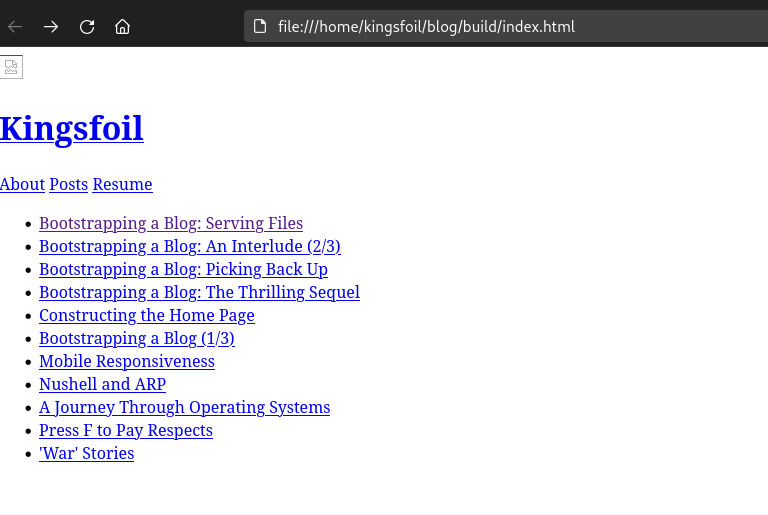
Running this builds the index successfully and the links point to the proper paths. However, the page looks like this:
An unstyled index page
Which is no fun. But can be fixed by modifying data/fragments/posts_index/head.html to use the relative path of ./assets instead of ../../assets.:
λ make publishAttempting to publish site...--snip--project: ./builddomain: kingsfoil.surge.shupload: [====================] 100% eta: 0.0s (64 files, 12128887 bytes)CDN: [====================] 100%encryption: *.surge.sh, surge.sh (136 days)IP: 138.197.235.123Success! - Published to kingsfoil.surge.sh
Lo and behold:
A published index
I’m going to clean up a few things and remove a few dead links/images, so if what you see in the picture is not what the site looks like, perhaps that is because the map can never be the territory no matter how hard it tries.
And this is where I’ll call it a day.
Bootstrapping a Blog: Sorting The Index (Part 5)
February 19th 2024
A currently annoying aspect of this site is that the index is unordered.
Currently it looks like this:
The index as it currently stands
Grabbing that key out of the frontmatter on the markdown file would be the best way to go about this. I just recently found a handy tool yq that allows for frontmatter queries. Sure enough running it against this file:
Now it’s tempting to write a script to sort this for me with the custom command, but I’d like to only rely on coreutils or other command line tools where possible. Let’s see if we can’t get this with just bash, sort, and yq.
I’m writing some of this post far after the fact, so I’m going to time skip a fair bit here and say that after some iteration over a good deal of time, the build script eventually grows into:
#!/usr/bin/env bash[!-e"./build/temp.html" ]||rm"./build/temp.html"echo"indexing posts..."touch ./build/temp.htmlforp in ./posts/*.md;do## Transform the file into html, and put it in the ./build/posts/ directoryOF=`(echo"$p"|sed's/.md/.html/')` ## Turn"foo.md" into "<timestamp>_foo.html" for pandocTIMESTAMP=`cat$p|sed -rn 's/.*date: ?\"(.*?)?\".*/\1/p'|{readd; date -d $d +%s;}` ## prepend the epoch time to the filename so we can sort laterOF="./build/posts/${TIMESTAMP}_`basename$OF`" ## Get the proper relative path for the output filecat$p|pandoc --filter pandoc-sidenote --section-divs --toc -f markdown+footnotes -t html5 |cat ./data/fragments/posts/head.html - ./data/fragments/posts/tail.html >$OFdone;forp in $(ls -r ./build/posts/*.html);do ## should have the timestamp prepended to the filename, and this will be sorted by timestamp## Get some metadata:MD_FILE="./posts/$(echo`basename$p`|sed's/^[0-9]\+_//'|sed's/.html//'|{readf; echo"$f.md";})"echo$MD_FILETITLE=$(cat$MD_FILE|sed -rn 's/.*title: ?\"(.*?)?\".*/\1/p');## Now add a list itemREL_PATH="./`basename$p`"; ## This is the relative path to the post itself from the perspective of the post_index fileif [[-z"${TITLE}" ]]; thenecho"ERROR: Unable to find title metadata for $p. Skipping."continue;fiecho" <li><a href='$REL_PATH'>$TITLE</a></li>">> ./build/temp.htmldone;cat ./data/fragments/posts_index/head.html ./build/temp.html ./data/fragments/posts_index/tail.html > ./build/posts/index.html;rm"./build/temp.html"echo"Done."
And this produces a working index page.
Bootstrapping a Blog: A Conclusion– some time later (Part 5)
August 12th 2026
It’s been some time since I started this project. A lot has happened in my life and in the world in general since I did, and though there’s always more to tinker with I’m happy with my small corner of the internet.
I dropped the habit of documenting each change to the whole system as a post, and this whole project has now evolved into a small frameworkThough I like to think I’ve kept up with my goal of not being “too organized” as I put it in a post a few years ago.
.
I’ve moved to my own domain (away from surge), begun self hosting completely, migrated to caddy, and made many other changes which I won’t get into here.
Now I write on this site as a small piece of the IndieWeb away from all the walled gardens on the rest of the internet.
I’ll leave it off with a quote:
If you build someone a fire, you keep them warm for one night. But, if you light someone on fire, you keep them warm for the rest of their life.