Picking This Back Up
January 2nd 2024
It’s been over a year since I started this project. By my last count the last post I wrote was in February of 2023, so that’s nice I suppose.
A lot has happened and I’ve been very busy with school and work. My previous machine (a 2016 MacBook Pro) died on me one day so now I’m running Debian on a cheap laptop I bought off of craigslist. And the free as in freedom has been worth it, I never should have waited so long to go back to Linux.
Consequently, most of my build tools for this project are no longer installed, and my scripts rely on some subtleties of a system that I’m no longer running. It’s a new year, and I’d like to write more.
I’m afraid I fell victim to one of the classic blunders: not producing a minimum viable product. I wanted too much magic, too quickly. Ain’t that just the way? I still have some cool ideas for how I’d like my site to work, but I’d also really like to have the site be available to the internet. So for now, a simple blurb and an index list of posts will suffice for a home page.
But first…
Fixing the Entire Build
One consequence of losing my old system is that nothing really works anymore. Pulling down the repo I keep this blog inside and invoking make produces:
λ  make
Publishing...
mkdir: cannot create directory ‘/dev/posts’: Permission denied
touch: cannot touch './dev/temp.html': No such file or directory
./scripts/publish.sh: line 19: gsed: command not found
basename: missing operand
Try 'basename --help' for more information.
./scripts/publish.sh: line 21: ./dev/posts/: No such file or directory
Error running filter pandoc-sidenote:
Could not find executable pandoc-sidenote
./scripts/publish.sh: line 24: gsed: command not found
./scripts/publish.sh: line 29: ./dev/temp.html: No such file or directory
./scripts/publish.sh: line 19: gsed: command not found
basename: missing operand
Try 'basename --help' for more information.

--snip--

...
For reference, the makefile currently looks like:
publish_blog:
    @echo "Publishing..." && bash ./.env && ./scripts/publish.sh
and the referenced publish.sh contains:
#!/usr/bin/env bash

## Remember! All relative paths are relative to the Makefile in the project root.

## Ensure that the dev directory has an index file and a posts directory
mkdir -p "$ROOT/dev/posts"


## Remove these files if they exist
[ ! -e "./dev/posts.html" ] || rm "./dev/posts.html"
[ ! -e "./dev/temp.html" ] || rm "./dev/temp.html"

touch ./dev/temp.html

for p in ./posts/*.md; do


    ## Transform the file into html, and put it in the ./dev/posts/ direcotry
    OF=`(echo "$p" | gsed 's/.md/.html/')` ## Turn "foo.md" into "foo.html" for pandoc
    OF="./dev/posts/`basename $OF`" ## Get the proper relative path for the output file
    cat $p | pandoc --filter pandoc-sidenote -f markdown+footnotes -t html | cat ./data/fragments/posts/head.html - ./data/fragments/posts/tail.html > $OF

    ## Get some metadata:
    TITLE=$(cat $p | gsed -rn 's/.*title: ?\"(.*?)?\".*/\1/p')

    ## Now add a ul element to the
    REL_PATH="./posts/`basename $OF`" ## This is the relative path to the post itself from the perspective of the post_index file

    echo "            <li><a href='$REL_PATH'>$TITLE</a></li>" >> ./dev/temp.html

done;

cat ./data/fragments/posts_index/head.html ./dev/temp.html ./data/fragments/posts_index/tail.html > ./dev/posts.html;
rm "./dev/temp.html"
It’s not the cleanest, but it is bash.
So there are some obvious problems here. For tools such as sed and basename I wrote them on a BSD-like system, so I’ll need to convert everything to rely on the GNU Coreutils.
A couple of steps to walk through:
gsedneeds to besed, since I installed the GNU version on MacOSbasenameisn’t getting the correct file name because of the failed output togsed, replacegsedwithsed- Install
pandoc-sidenotelocally.
And that should get us started.
gsed to sed
The uninspired way to do this would be to do a find replace in an editor. But, it would be more ironic to use the sed to destroy the gsed as follows:
λ bat scripts/publish.sh | rg gsed
    OF=`(echo "$p" | gsed 's/.md/.html/')` ## Turn "foo.md" into "foo.html" for pandoc
    TITLE=$(cat $p | gsed -rn 's/.*title: ?\"(.*?)?\".*/\1/p')

λ sed -i s/gsed/sed/ scripts/publish.sh

λ bat scripts/publish.sh | rg gsed

λ bat scripts/publish.sh | rg sed
    OF=`(echo "$p" | sed 's/.md/.html/')` ## Turn "foo.md" into "foo.html" for pandoc
    TITLE=$(cat $p | sed -rn 's/.*title: ?\"(.*?)?\".*/\1/p')
So there we go. That should solve several problems.
Now the output of our script is:
λ  make
Publishing...
mkdir: cannot create directory ‘/dev/posts’: Permission denied
touch: cannot touch './dev/temp.html': No such file or directory
./scripts/publish.sh: line 21: ./dev/posts/bootstrapping_a_blog_interlude.html: No such file or directory
Error running filter pandoc-sidenote:
Could not find executable pandoc-sidenote
./scripts/publish.sh: line 29: ./dev/temp.html: No such file or directory
./scripts/publish.sh: line 21: ./dev/posts/bootstrapping_a_blog_picking_back_up.html: No such file or directory
Error running filter pandoc-sidenote:
Well the first issue there is that we need to stop creating things in /dev, the issue is this line right here:
mkdir -p "$ROOT/dev/posts"$ROOT is not set, so I should either add a check for it or just assume that the script will be run from the same directory as the Makefile. I’d say it’s a safe assumption, and from this point onward I’ll use the Makefile as the script runner. Changing the line to:
mkdir -p "./dev/posts"produces:
Publishing...
Error running filter pandoc-sidenote:
Could not find executable pandoc-sidenote
Error running filter pandoc-sidenote:
Could not find executable pandoc-sidenote
Error running filter pandoc-sidenote:
Could not find executable pandoc-sidenote
Error running filter pandoc-sidenote:
Could not find executable pandoc-sidenote
Error running filter pandoc-sidenote:
Could not find executable pandoc-sidenote
Error running filter pandoc-sidenote:
Could not find executable pandoc-sidenote
Error running filter pandoc-sidenote:
Could not find executable pandoc-sidenote
Error running filter pandoc-sidenote:
Could not find executable pandoc-sidenote
Error running filter pandoc-sidenote:
Could not find executable pandoc-sidenote
Error running filter pandoc-sidenote:
Could not find executable pandoc-sidenote
Progress.
Pandoc-Sidenote
Now, back on MacOS this was a simple brew install. But Linux is a system for real hackers who aren’t afraid. Read: has bad support for nearly everything.
So we’re going to have to compile it ourselves.
As the documentation says:
Otherwise, you’ll have to install from source. This project is written in Haskell and built using Stack. If you’re new to Haskell, now’s a perfect time to wet your toes! Go install Stack first, then run these commands:
First I’m going to install the Haskell toolchain:
λ sudo apt-get install haskell-stackAs it suggests I will:
λ git clone https://github.com/jez/pandoc-sidenote

λ cd pandoc-sidenote

λ stack build

λ stack install
This takes a while, but finally succeeds:
Copied executables to /home/kingsfoil/.local/bin:
- pandoc-sidenote
Attempting make publish again:
λ  make
Publishing...
pandoc-sidenote: Error in $: Incompatible API versions: encoded with [1,22,2,1] but attempted to decode with [1,23].
CallStack (from HasCallStack):
  error, called at src/Text/Pandoc/JSON.hs:108:64 in pandoc-types-1.23-2DdtSDCGYZd8HWDhV4DIl9:Text.Pandoc.JSON
Error running filter pandoc-sidenote:
Filter returned error status 1

--snip--
λ pandoc --version
pandoc 2.17.1.1
Compiled with pandoc-types 1.22.2.1, texmath 0.12.4, skylighting 0.12.3.1,
citeproc 0.6.0.1, ipynb 0.2
User data directory: /home/kingsfoil/.local/share/pandoc
Copyright (C) 2006-2022 John MacFarlane. Web: https://pandoc.org
This is free software; see the source for copying conditions. There is no
warranty, not even for merchantability or fitness for a particular purpose.Looks like the issue is that pandoc-types has an incompatible version and pandoc needs to be built at version 1.23. Hopefully a quick update to pandoc will do it:
λ sudo apt-get upgrade pandocNow, like a fool I forgot that apt-get doesn’t allow you to update a package this way, and that apt-get upgrade will, in fact, upgrade all available packages it can find. Admittedly I hadn’t run an update in a while so I just let it happen. But then, some GRUB related thing updated and I had to opt in to a setting somewhere so if I commit this post in its current state and you never hear from me again, it’s because I never got the machine to boot and I’m currently living as a homeless vagrant wandering Europe playing the mandolin for spare change. And that’s cannon.
Now to really update:
λ  sudo apt-get install pandoc --only-upgrade
Reading package lists... Done
Building dependency tree... Done
Reading state information... Done
pandoc is already the newest version (2.17.1.1-2~deb12u1).
I can see that the latest version of pandoc is in fact 3.1.11, so apt-get is a dead end here. I’m going to upgrade to the latest version from the .deb directly:
λ  wget https://github.com/jgm/pandoc/releases/download/3.1.11/pandoc-3.1.11-1-amd64.deb
--snip--
pandoc-3.1.11-1-amd64.deb               100%[===============================================================================>]  29.43M  2.31MB/s    in 15s

2024-01-02 18:22:59 (1.95 MB/s) - ‘pandoc-3.1.11-1-amd64.deb’ saved [30858438/30858438]

λ  sudo dpkg -i pandoc-3.1.11-1-amd64.deb
(Reading database ... 444817 files and directories currently installed.)
Preparing to unpack pandoc-3.1.11-1-amd64.deb ...
Unpacking pandoc (3.1.11-1) over (2.17.1.1-2~deb12u1) ...
Setting up pandoc (3.1.11-1) ...
Processing triggers for man-db (2.11.2-2) ...

λ  pandoc -v
pandoc 3.1.11
Features: +server +lua
Scripting engine: Lua 5.4
User data directory: /home/kingsfoil/.local/share/pandoc
Copyright (C) 2006-2023 John MacFarlane. Web: https://pandoc.org
This is free software; see the source for copying conditions. There is no
warranty, not even for merchantability or fitness for a particular purpose.
There we are. I predict the plugin will break with the new version:
λ  make
Publishing...
…and it looks like my pessimism goes unrewarded. I’m not complaining. The script ran without errors. Let’s see if it built everything it needed to:
λ  open dev/posts/bootstrapping_a_blog_picking_back_up.html
...
And sure enough the page loads!
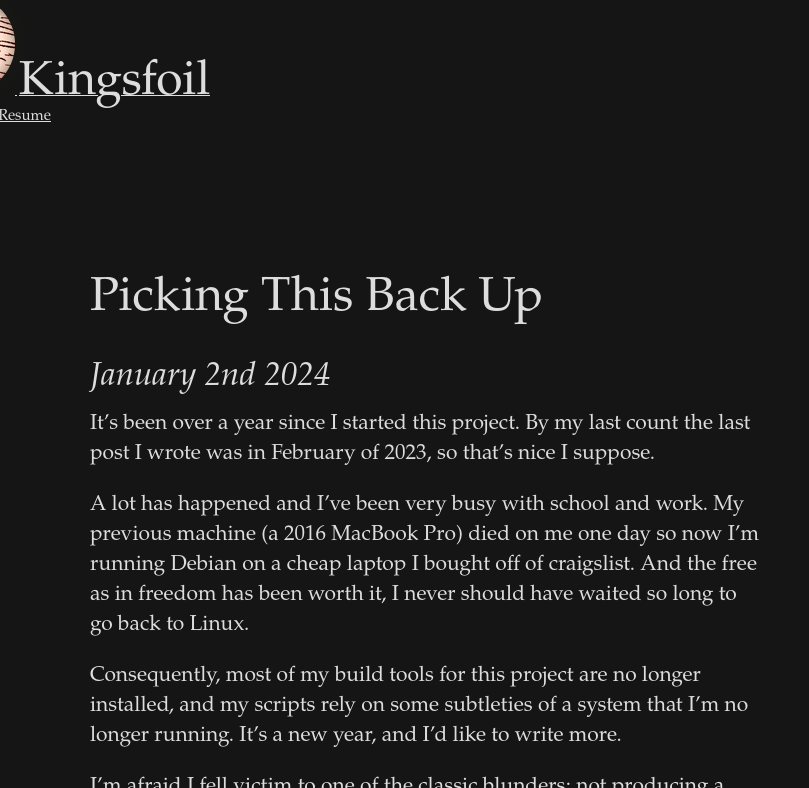
I notice that images are no longer being rendered. But that will be an issue for next time. For the sake of completeness I’m going to sign off now.