Serving Files
January 3rd 2024
In the interest of building a small version of a project and iterating on it, I’m going to forgo uploading this to a Digital Ocean droplet and pointing nginx at it (which is the eventual) plan. And use one of those free static server services that are so handy.
My usual go to in cases like this is surge.sh. There are some other alternatives these days, but I think I’ll stick with this until I get a self hosted solution up and running.
Surge is fairly straightforward:
λ  tldr surge
Simple web publishing.
  More information: <https://surge.sh>.

Upload a new site to surge.sh:

      surge path/to/my_project

Deploy site to custom domain (note that the DNS records must point to the surge.sh subdomain):

      surge path/to/my_project my_custom_domain.com

List your surge projects:

      surge list

Remove a project:

      surge teardown my_custom_domain.com
As I said in the previous post, it’s a new laptop, so I’ll get that installed with:Plug for asdf which has made node/npm and so many other tools that much better to work with.
λ  npm install -g surge

--snip--

added 112 packages in 5s

4 packages are looking for funding
  run `npm fund` for details
Reshimming asdf nodejs...
Now, before we can get running with surge we’ll need to do a couple of things:
- Define a build step in the
Makefilewhich creates a built version of the site. - Ensure that an index.html file is constructed and placed at the top of that dir
- Point surge at it
And we should be done at that point. Let’s get started:
Make a build
Now, I feel the need to point out that this is actually what Makefiles are for.
from the make(1) man page:
…you can use make with any programming language whose compiler can be run with a shell command. In fact, make is not limited to programs. You can use it to describe any task where some files must be updated automatically from others whenever the others change.
which makes it an appropriate tool for this scenario.
Makefile syntax can be a bit extra, since it’s often used to do a little more than be a command runner. Eventually I’d like to move this project over to using a Justfile, because just is what a Makefile is, minus everything that isn’t command invocation. Makefile syntax can be archaic at times, so I wouldn’t mind the switch.
I’m going to modify the Makefile to distinguish between a local build, and a publish step. First I’d like to create a small script to encapsulate the idea of a publish.
However, first we need to get our semantics right. What I’m currently referring to as publish locally should actually likely be called build. I’m going to use the term publish locally to mean: “take a built project file and put it on the internet”.
I’ll update the Makefile to be:
build:
    @echo "Building site..." && ./scripts/build.sh
publish:
    @echo "Attempting to publish site..." ./scripts/publish.sh
λ mv scripts/publish.sh scripts/build.sh
renamed 'scripts/publish.sh' -> 'scripts/build.sh'
λ touch scripts/publish.sh && chmod +x scripts/build.sh && chmod +x scripts/publish.shNow add the following to scripts/publish.sh:
#!/bin/bash

if [ ! -e "./build/index.html" ]; then
    echo "Unable to find an index file at build/index.html! Aborting..."
    exit 1
fi

surge ./build
and then we’ll modify the build script to use the build/ directory instead of dev/I can’t remember why I named it that in the first place.
. Additionally, instead of building a posts.html file we’ll treat index.html file as, well… the index, and put it at the root of build/.
The modified build.sh script now looks as follows:
#!/usr/bin/env bash

## Remember! All relative paths are relative to the Makefile in the project root.

## Ensure that the build directory has an index file and a posts directory
mkdir -p "./build/posts"

## Remove these files if they exist
[ ! -e "./build/index.html" ] || rm "./build/index.html"
[ ! -e "./build/temp.html" ] || rm "./build/temp.html"

touch ./build/temp.html

for p in ./posts/*.md; do

    ## Transform the file into html, and put it in the ./build/posts/ direcotry
    OF=`(echo "$p" | sed 's/.md/.html/')` ## Turn "foo.md" into "foo.html" for pandoc
    OF="./build/posts/`basename $OF`" ## Get the proper relative path for the output file
    cat $p | pandoc --filter pandoc-sidenote -f markdown+footnotes -t html | cat ./data/fragments/posts/head.html - ./data/fragments/posts/tail.html > $OF

    ## Get some metadata:
    TITLE=$(cat $p | sed -rn 's/.*title: ?\"(.*?)?\".*/\1/p')

    ## Now add a ul element to the list
    REL_PATH="./posts/`basename $OF`" ## This is the relative path to the post itself from the perspective of the post_index file

    echo "            <li><a href='$REL_PATH'>$TITLE</a></li>" >> ./build/temp.html

done;

cat ./data/fragments/posts_index/head.html ./build/temp.html ./data/fragments/posts_index/tail.html > ./build/index.html;
rm "./build/temp.html"
Running this builds the index successfully and the links point to the proper paths. However, the page looks like this:
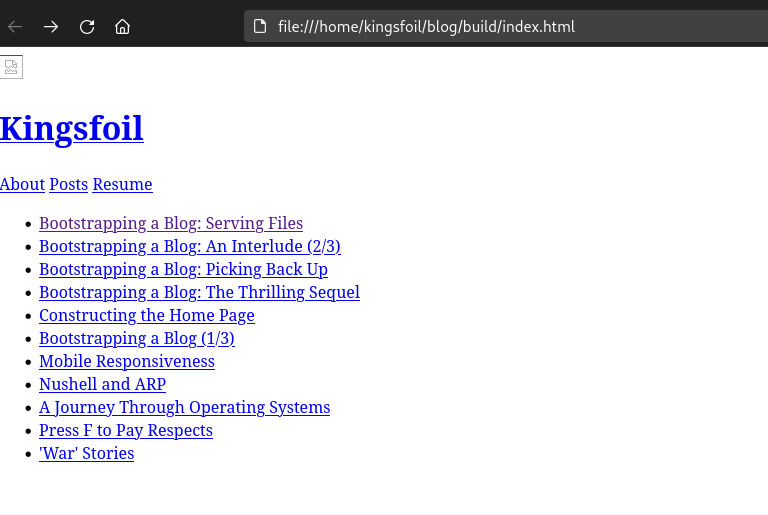
Which is no fun. But can be fixed by modifying data/fragments/posts_index/head.html to use the relative path of ./assets instead of ../../assets.:
!DOCTYPE HTML>
<html>
    <head>
      <meta name="viewport" content="width=device-width, initial-scale=1" />
      <link rel="stylesheet" href="./assets/stylesheets/main.css"/>
    </head>
    <body>
      <header>
        <div id="thumbnail-title">
          <a id="home-link" href="/index.html">
            <img id="kingsfoil-thumbnail" src="./assets/images/kingsfoil.jpeg"/>
            <h1 id="site-title" >Kingsfoil</h1>
          </a>
        </div>

        <nav>
          <a href="/about.html">About</a>
          <a href="/posts.html">Posts</a>
          <a href="/resume.html">Resume</a>
        </nav>
      </header>
      <main>
        <section id="post_list">
          <ul>
and let’s build:
λ  ./scripts/build.sh

λ open build/index.html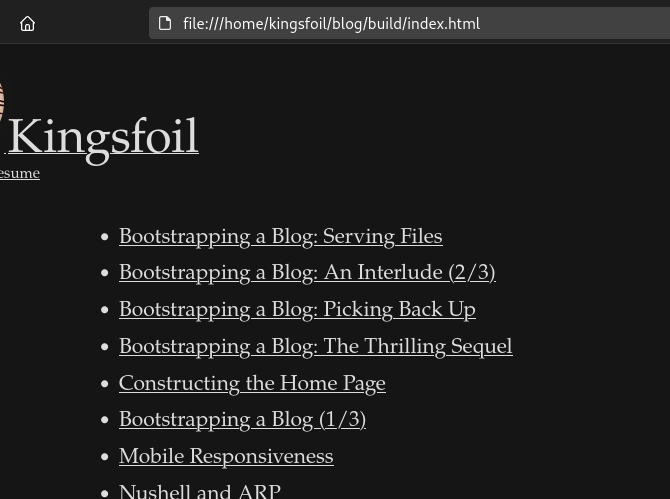
Deployment
Now to be a little brave and try the deploy step:
λ  make publish
Attempting to publish site...

--snip--

        project: ./build
         domain: kingsfoil.surge.sh
         upload: [====================] 100% eta: 0.0s (64 files, 12128887 bytes)
            CDN: [====================] 100%
     encryption: *.surge.sh, surge.sh (136 days)
             IP: 138.197.235.123

   Success! - Published to kingsfoil.surge.sh
Lo and behold:
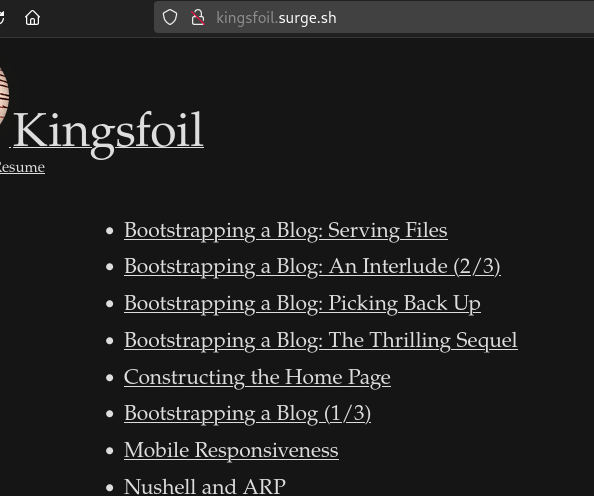
I’m going to clean up a few things and remove a few dead links/images, so if what you see in the picture is not what the site looks like, perhaps that is because the map can never be the territory no matter how hard it tries.
And this is where I’ll call it a day.